The best notes aren’t the most beautiful—they’re the ones you can actually find tomorrow.
Students have never had more help turning lectures, readings, and group projects into something usable. AI note-taking apps promise cleaner summaries, searchable transcripts, auto-generated flashcards, and even study plans—often from messy, real-time input. The real question isn’t whether the tech works; it’s which style of app fits the way you learn, your privacy comfort level, and the reality of campus life (spotty Wi‑Fi, loud classrooms, and back-to-back deadlines).
What follows is a practical, student-centered way to compare today’s most popular options—what they’re good at, where they can trip you up, and how to pick a winner for your schedule rather than for a marketing demo.
What makes AI note-taking apps actually useful for students?
They’re useful when they reduce friction between “captured” and “study-ready.” That means: getting information into your system quickly, organizing it without a second pass, and making review faster than rereading.
In practice, the best apps tend to do a few things consistently well:
- Capture in the background: record audio, transcribe, or import slides without disrupting the lecture.
- Transform raw material: create summaries, key points, questions, or flashcards that resemble what you’d write yourself—just faster.
- Retrieve on demand: strong search, links between topics, and the ability to ask, “What did the professor say about X?”
- Support your workflow: works across laptop/phone/tablet, exports cleanly, and doesn’t lock you into a single ecosystem.
A useful gut-check: if an app creates “pretty notes” you never revisit, it’s not helping. If it makes you review twice as often in the same time window, it is.
The hidden trade-off: convenience vs. attention
AI tools can make note-taking so easy that you stop processing information while it’s happening. That’s not a small risk. Cognitive science has long pointed to the value of generative note-taking—paraphrasing, organizing, and deciding what matters in real time.
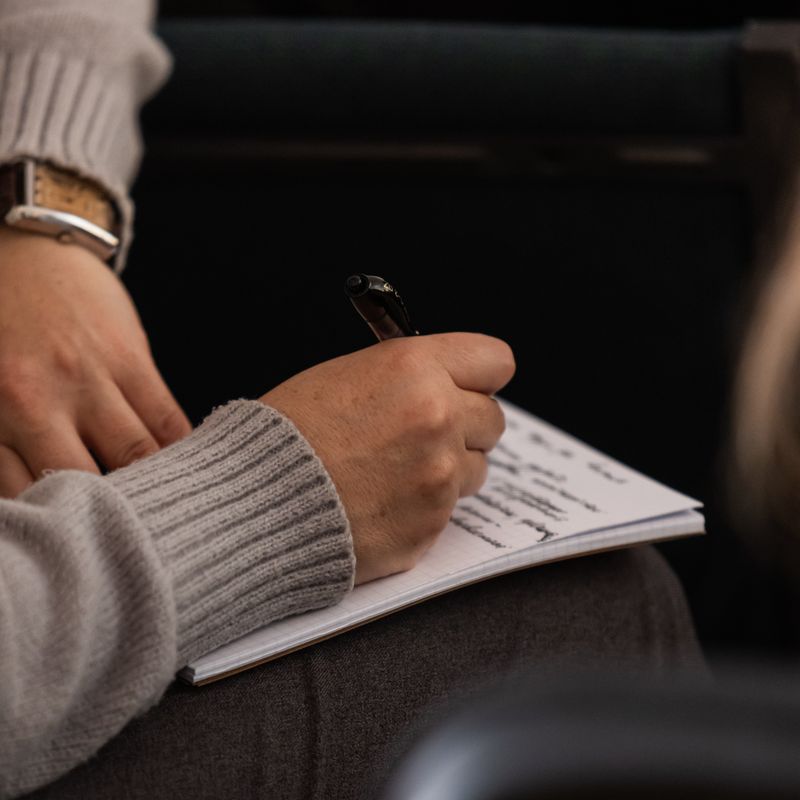
One of the most cited findings in this space comes from a Princeton and UCLA study published in Psychological Science (Mueller & Oppenheimer, 2014), which found that students who took notes by hand tended to perform better on conceptual questions than laptop note-takers, largely because typing encourages verbatim capture. AI transcription can push even further toward verbatim capture—unless you deliberately add a layer of interpretation.
So the “winner” isn’t always the app that records the most. It’s the one that helps you stay mentally engaged and then gives you a smart review artifact later.
A simple rule that keeps AI from dulling your learning
Use AI to capture and compress, but make sure you still do one of these during class or immediately after:
- write a 3–5 sentence recap in your own words
- add three questions you think the exam could ask
- mark one “confusing point” to bring to office hours
That small act of processing is often where understanding is built.
Which type of student are you? Match the tool to the job
Instead of crowning one universal champion, it’s more honest to identify the “winner” by use case. Most students fall into one (or a mix) of these modes:
The lecture-heavy student (recording + transcript first)
If your day is packed with lectures, you’ll value:
- reliable audio capture
- speaker separation (when possible)
- time-stamped transcripts
- summaries that don’t miss definitions and frameworks
Otter is a common pick here because it’s built around recording and transcription, with summaries and keywording layered on top. It shines when you need searchable lecture text and a quick “what did I miss?” recap.
Notta is another transcription-forward tool many students use for lectures and meetings, especially if you want straightforward exports.
Where these can lose: if your classes involve equations, diagrams, or board work, pure transcript tools can’t “see” what matters. You’ll still need a visual note system.
The writing-and-research student (sources + synthesis)
If your week is full of readings, essays, and citations, you’ll value:
- quick capture of excerpts
- linked notes and backlinks
- the ability to synthesize across sources
- clean organization and retrieval
Notion (especially with Notion AI) can win here when you build a structured workspace: course dashboards, reading databases, assignment trackers, and study hubs. The AI layer is most helpful for rewriting, summarizing your own notes, and turning outlines into drafts.
Obsidian can be a strong alternative for students who like local files and networked thinking, though its AI experience often depends on plugins or external services. It’s more “build-your-own system” than “plug-and-play.”
Where these can lose: they may not be the fastest at real-time lecture capture unless you pair them with an audio/transcript tool.
The “I need it on my iPad” student (handwriting + search)
If you live in PDFs, annotate slides, or learn through diagrams, you’ll value:
- handwriting support
- PDF markup
- shape recognition
- search that finds text inside your notes
Goodnotes has become a default for many students because it feels like a polished digital notebook. Its strengths are tactile: handwriting, organization, and annotation. AI features vary by version, but even without heavy AI, it can be the “winner” if the real need is a stable, visual study archive.
Microsoft OneNote is still a practical contender: free for many students, flexible pages, and strong cross-device syncing. It’s less trendy, but it’s quietly dependable.
Where these can lose: AI summaries of handwritten material may be inconsistent, and you’ll often do more manual organizing.
The “meetings and group projects” student (action items + follow-ups)
For labs, project meetings, study groups, and interviews, you’ll value:
- clear action items
- decisions and next steps
- shareable summaries
- calendar and collaboration compatibility
Here, meeting-style tools like Fireflies.ai can feel like a superpower, turning messy conversations into task lists. They’re often optimized for online calls, though, and campus use may be limited by recording policies.
Quick comparison table: common options students actually use
The “winner” depends on what you’re optimizing: capture, study output, writing, or visual learning.
| App (type) | Best for | Strongest student-friendly feature | Common drawback | Feels like a “win” when… |
|---|---|---|---|---|
| Otter (transcription) | Live lectures, review | Fast transcript + searchable notes | Weak with diagrams/equations; recording rules vary | You need to recover missed details quickly |
| Notion (workspace + AI) | Research, assignments, study hubs | Databases + AI rewriting/summaries | Setup time; can become cluttered | You want one home for the whole semester |
| Goodnotes (handwriting) | iPad notes, PDFs | Annotation + organized notebooks | AI varies; less “smart” retrieval than text-first apps | You learn by drawing, mapping, annotating |
| OneNote (general notebook) | Mixed note styles | Flexible pages + broad compatibility | Can feel messy without habits | You want free, reliable, cross-platform notes |
| Fireflies.ai (meeting AI) | Group work, calls | Action items + recap from discussions | Better for online meetings; privacy policies matter | Your projects live in conversations |
If you want a single “default” recommendation for many students: pair a visual/structured home base (Notion, OneNote, or Goodnotes) with a capture tool (Otter-like transcription) when you truly need verbatim recall.
Privacy, permissions, and campus reality (don’t skip this)
The most overlooked factor in choosing AI note tools is whether you’re allowed to record and how your data is handled.
In the U.S., recording consent rules vary by state, and schools often have their own policies. Some professors explicitly allow recording as an accommodation; others restrict it for discussion-based classes. Even when it’s legal, it can still violate course rules.
Before you hit record, get clear on:
- Course policy: syllabus language, professor preference, and whether classmates are being recorded.
- Storage and retention: does the app keep audio/transcripts indefinitely?
- Training use: does the service use your content to improve models?
- Sharing controls: can you lock notes to your account and disable public links?
For sensitive topics (health, counseling-adjacent programs, legal clinics, research interviews), consider tools that keep more content local or allow strict deletion.
A student-friendly checklist for picking your “winner” in 20 minutes
If you only have time for a fast decision, do this mini-evaluation with one real lecture or reading:
- Choose your primary pain point: missed details, disorganized notes, slow studying, or writing overwhelm.
- Run a single test capture: one class session or one reading.
- Check the output quality: does the summary keep the professor’s structure (definitions, comparisons, steps)?
- Try retrieval: search for a term you remember hearing—can you find it in 10 seconds?
- Create one study artifact: flashcards, practice questions, or a one-page review sheet.
- Export and backup: can you save as PDF/Markdown/doc and move it to your course folder?
- Assess the habit cost: will you actually do this weekly, or is it too fiddly?
If an app fails steps 3–5, it’s not the right fit—even if the AI demo looks impressive.
How to use AI note-taking apps without outsourcing your brain
The most effective students treat AI like a study assistant, not a substitute. A simple workflow that scales across most majors:
- During class: capture (audio or quick bullets), but add your own “signal marks” (stars for exam topics, question marks for confusion).
- Within 24 hours: generate a summary, then rewrite the top five points in your own words.
- Before a quiz/exam: ask the tool for practice questions, but verify against slides/textbook and fix anything that’s off.
AI can be confidently wrong, especially when audio is unclear, terms are new, or the professor is improvising. Treat auto-summaries like a draft you approve, not a verdict.
One small habit makes a big difference: keep a running section called “Things the AI got wrong (or missed)” for each course. It trains you to audit output—and those corrections are often exactly what shows up on exams.
So…which one wins?
A real “winner” is the app you’ll still be using in week ten, when motivation dips and deadlines stack. For many students, the winning setup is less about a single tool and more about a two-layer system: one place to think (your notebook/workspace) and one tool to capture (transcript/recording) when needed.
If you’re deciding today, pick based on your dominant week:
- Mostly lectures you can’t miss details from? Start with a transcription-first tool.
- Mostly papers, readings, and projects? Build a workspace-first system.
- Mostly diagrams, problem sets, and annotated slides? Go handwriting/PDF-first.
The interesting thing about AI note-taking apps is that they don’t just store what you learned—they quietly shape what you notice. Choose the one that keeps you attentive in the moment and calmer when you review later.