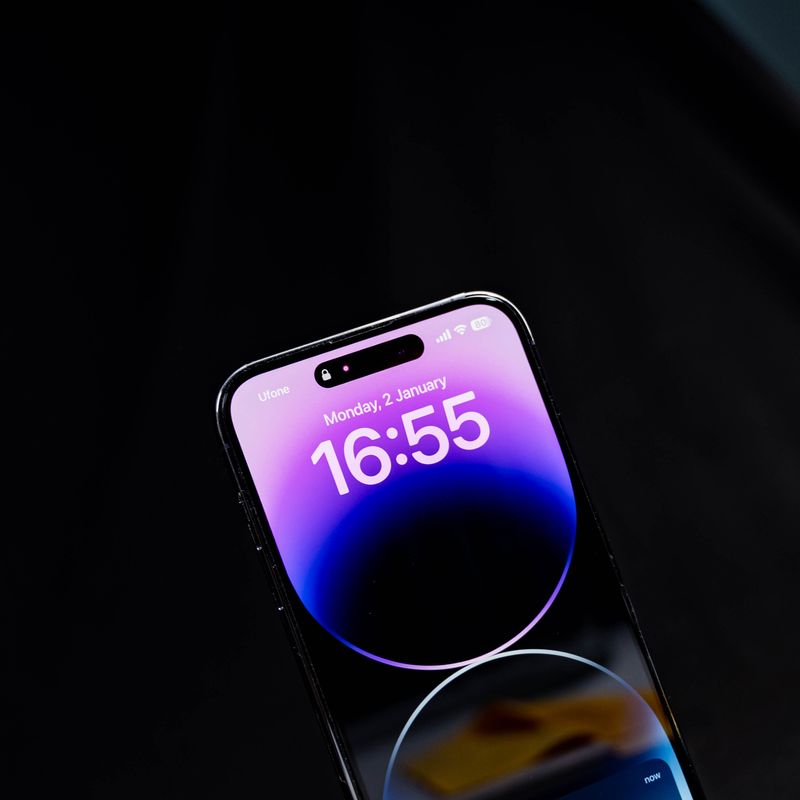
Your battery isn’t “dying”—it’s being quietly spent in a dozen small ways.
iPhone battery health is Apple’s shorthand for how much capacity your battery can still hold compared to when it was new—and how well it can deliver peak power without unexpected shutdowns. If you’ve watched that percentage slip over months and wondered what’s draining it fastest, the answer is less about one villain and more about patterns: heat, charging habits, and the way modern apps keep your phone busy when you’re not looking.
What follows is a practical, realistic map of the biggest accelerators of battery wear, why they matter, and which changes actually move the needle.
The invisible math behind iPhone battery health
Apple uses lithium‑ion batteries, and their aging is measured in chemical wear, not just “time.” Two forces dominate: how often the battery cycles and how much stress it experiences during those cycles.
A “cycle” isn’t one charge from 0% to 100% in a single day; it’s the equivalent of using 100% total capacity over time (say 50% today and 50% tomorrow). Apple has long described iPhone batteries as being designed to retain up to about 80% of their original capacity after a few hundred cycles under ideal conditions (the exact number varies by model generation). The point isn’t the number—it’s that cycling is expected, and your job is to reduce the stress per cycle.
Two realities help make sense of the rest of this article:
- Heat speeds up battery aging. It’s chemistry; higher temperatures accelerate side reactions that permanently reduce capacity.
- High state of charge (near 100%) is stressful over long periods. Keeping a lithium‑ion battery “topped off” for hours isn’t as gentle as letting it hover in the middle ranges.
Apple itself emphasizes temperature management in its official battery guidance, noting that prolonged exposure to high heat can permanently reduce capacity.
What drains battery health fastest? Start with heat
Heat is the most reliable shortcut to faster degradation. It doesn’t just drain your daily percentage—it changes the battery’s long-term capacity.
Here are the common heat traps that quietly age batteries:
Fast charging when the phone is already warm
Fast charging is convenient, but it can raise internal temperature, especially if you’re charging while doing something heavy like gaming, navigation, or video calls. Charging generates heat; heavy use generates heat; together they stack.
If you need the speed sometimes, fine—but if you’re aiming to preserve iPhone battery health, avoid fast charging on a hot phone.
MagSafe and wireless charging on soft surfaces
Wireless charging is less efficient than wired charging, which typically means more wasted energy as heat. Add a thick case, a misaligned puck, or a bed/couch surface that traps warmth, and you have a recipe for sustained elevated temperature.
This doesn’t mean “never use MagSafe.” It means: treat it like a convenience tool, not your default if battery longevity is your priority.
Hot car dashboards and sunny windowsills
A parked car can heat to dangerous levels quickly. Even if the phone isn’t charging, high ambient heat stresses the battery. If it is charging—or running GPS—stress compounds.
The simplest longevity hack is also the least glamorous: keep the phone out of heat.
The charging habits that age batteries (and the ones that don’t)
Most people think battery wear is about “charging wrong.” Some of it is. A lot of it is overstated.
The habits that matter tend to be the ones that keep your battery at extremes—very high or very low—while also increasing heat.
Overnight charging: usually fine, but not always ideal
Your iPhone is designed to manage overnight charging safely. Apple’s Optimized Battery Charging feature learns your routine and often holds the charge around 80% until closer to when you wake up.
The catch is environment: if your phone is charging overnight on a warm surface, in a thick case, under a pillow, or while running backup tasks, it can stay hotter longer than it should.
A simple tweak: charge on a hard surface, uncovered, in a cool room. If you can, rely on optimized charging and don’t obsess.
Living at 100% (or near it) for hours
The combination of high state of charge + heat is a known stressor for lithium‑ion chemistry. If your day looks like “wake up at 100%, stay plugged in at a desk, top back to 100% in the car, plug in again at home,” you’re spending a lot of time at the most stressful end of the range.
If you want a practical target, aim to spend more time in the middle. You don’t have to micromanage it—just avoid unnecessary “always full” behavior.
Deep discharges to 0%: not catastrophic, but not helpful
Occasionally hitting 0% won’t ruin a battery. But repeatedly draining to near empty and then charging hard can increase stress. More importantly, it tends to encourage fast-charging and heat-heavy recovery.
If you can, charge earlier—especially on days you know you’ll be using GPS, camera, or hotspot.
Using the wrong power setup
Cheap, uncertified accessories can cause inefficient charging, extra heat, or inconsistent power delivery. You don’t need the most expensive brick on earth, but using reputable USB‑C power adapters and quality cables reduces wasted heat.
The “busy phone” problem: apps and settings that raise wear indirectly
Daily battery drain isn’t the same thing as battery health degradation, but they’re connected through heat and cycles. The more your iPhone burns through capacity each day, the more frequently it cycles—and the faster long-term capacity drops.
Some settings and behaviors are repeat offenders:
5G in weak-signal areas
When signal is poor, your phone works harder to stay connected. That increases power draw (and often heat), especially on 5G. If you live or work in a place with inconsistent coverage, you can end up cycling the battery harder than you realize.
A small experiment: for a week, compare your daily drain with default settings versus using LTE in low-signal environments. Many people see a meaningful difference.
Location services and “always-on” permissions
Maps isn’t the only thing using location. Social apps, retail apps, and even photo tools can request frequent location updates. It’s not that location itself destroys batteries—it’s that constant background activity increases daily drain.
A clean approach is to reserve “Always” location permission for the few apps that truly need it (like certain safety tools), and use “While Using” for the rest.
Background refresh, syncing, and push behavior
Email, social feeds, cloud photo libraries, and messaging can run a steady stream of background tasks. A busy background equals more daily cycles.
If your battery health is falling faster than expected, look for patterns:
- A big photo library syncing on cellular
- Multiple email accounts pushing constantly
- Social apps refreshing in the background
You don’t have to shut everything off; you just want to stop the “constant simmer.”
Camera, video, and gaming: high power, high heat
Extended 4K video recording, long FaceTime calls, AR apps, and graphics-heavy games are the most reliable ways to warm up a phone.
There’s nothing wrong with using your phone for what it’s made for. But if you do heavy sessions daily—and especially if you charge while doing them—expect iPhone battery health to decline faster.
Is fast charging bad for iPhone battery health?
Not inherently. Fast charging becomes a problem when it consistently increases heat and keeps you at high charge levels for long stretches.
If you fast-charge occasionally in a cool environment, it’s unlikely to be the main reason your battery health drops. But if your routine is to fast-charge multiple times a day—especially in warm places or during heavy use—it can become a meaningful contributor.
Here’s a clear way to think about it:
- Fast charging is like running on your joints: safe in moderation, less ideal as a daily lifestyle.
- Heat is the pain you should listen to: if your phone feels hot while charging, that’s your signal to change something.
A quick comparison of common charging styles
| Charging style | Typical heat level | Convenience | Longevity impact (general) |
|---|---|---|---|
| Wired, standard (lower wattage) | Low | Medium | Best |
| Wired, fast charging | Medium | High | Good if kept cool |
| MagSafe/wireless | Medium to higher | High | Varies; watch heat |
| Charging while gaming/GPS | High | Medium | Worst |
“Worst” here doesn’t mean “will ruin your phone.” It means it’s the most likely to add heat and speed up wear over time.
A realistic checklist to slow battery wear without obsessing
Battery care advice gets weirdly extreme online. You don’t need to live between 40% and 60% forever. You need a few calm defaults that reduce heat and needless cycling.
Try this for two weeks:
- Keep it cool: don’t charge under a pillow, in direct sun, or on a hot car mount.
- Avoid charging during heavy tasks: especially gaming, long navigation, or video recording.
- Use Optimized Battery Charging: leave it on unless you have a reason not to.
- Choose wired charging when convenient: especially for long, idle charges.
- Tame background activity: turn off Background App Refresh for apps you don’t value, and review location permissions.
- Watch signal trouble spots: if you’re in weak coverage daily, consider LTE-only during those hours.
- Don’t panic about percentages: occasional 100% or occasional low battery won’t “break” anything.
If you want a single habit with outsized payoff: reduce heat while charging.
When the drop feels sudden: what might be happening
People often notice iPhone battery health falling in “chunks” rather than smoothly. That’s partly perception, partly measurement updates.
A few common reasons it can feel abrupt:
- A new iOS version recalibrates estimates. The underlying health didn’t suddenly collapse; the phone got better at estimating.
- A period of unusual heat exposure. A vacation, lots of navigation in summer, or charging in a hot room can accelerate wear.
- A new routine increases cycles. New commute, new job with weak reception, new game, more video calls.
If your phone starts throttling performance or shutting down unexpectedly, Apple’s battery management features may limit peak power to prevent instability. That can feel like “the phone got old overnight,” when it’s really the battery’s ability to deliver peak current that changed.
The quiet trade-off: using your iPhone like a tool
There’s a moment most people hit: you can either treat battery health like a hobby, or you can treat your phone like a device you own to live your life.
The sweet spot is not perfection—it’s avoiding the biggest accelerants. Keep the phone cool. Don’t make a habit of charging hard while it’s working hard. Let optimized charging do its job. And if your days genuinely require heavy camera work, hotspot use, or constant navigation, consider that you may simply be using your iPhone intensely—and that’s okay.
Battery replacement exists for a reason. In the meantime, the goal isn’t to freeze iPhone battery health in place; it’s to slow the unnecessary wear so the battery ages on your terms, not because it spent too many hours hot, full, and busy.